DaisyDisk 4.24 improves compatibility with macOS Ventura
In DaisyDisk 4.24 we have fixed some minor compatibility issues with the newly released macOS Ventura.
This is a free update for the existing users of DaisyDisk 4.x.
Full change log is here.
In DaisyDisk 4.24 we have fixed some minor compatibility issues with the newly released macOS Ventura.
This is a free update for the existing users of DaisyDisk 4.x.
Full change log is here.
In addition to the already supported Dropbox™, Google Drive™ and Microsoft OneDrive™, the new DaisyDisk 4.23 allows you to connect, scan and manage disk space in your Box™ cloud account.

Besides, we have added the 🇹🇷 Turkish language, and fixed some compatibility issues with the forthcoming macOS Ventura.
This is a free update for the existing users of DaisyDisk 4.x.
Full change log is here.
Even though Ukrainian is our native language, so far DaisyDisk hasn’t featured it in its UI. We’re finally closing this glaring gap with the update 4.22. #StandWithUkraine 🇺🇦
Besides, we’ve made a few tweaks and fixed bugs.
This is a free update for the existing users of DaisyDisk 4.x.
Full change log is here.
In addition to the already supported Dropbox™ and Google Drive™, the new DaisyDisk 4.21 allows you to connect, scan and manage disk space in your Microsoft OneDrive™ cloud account.

This is a free update for the existing users of DaisyDisk 4.x.
Full change log is here.
With the new DaisyDisk 4.20 you can connect and scan your cloud storage accounts, in the same way as your local disks.
Currently supported clouds are:
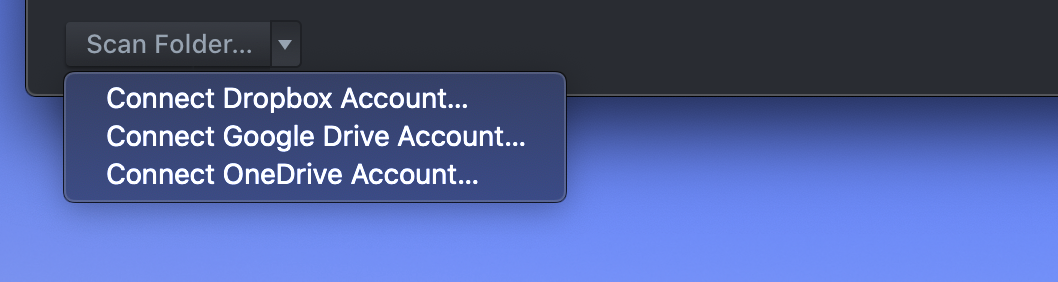
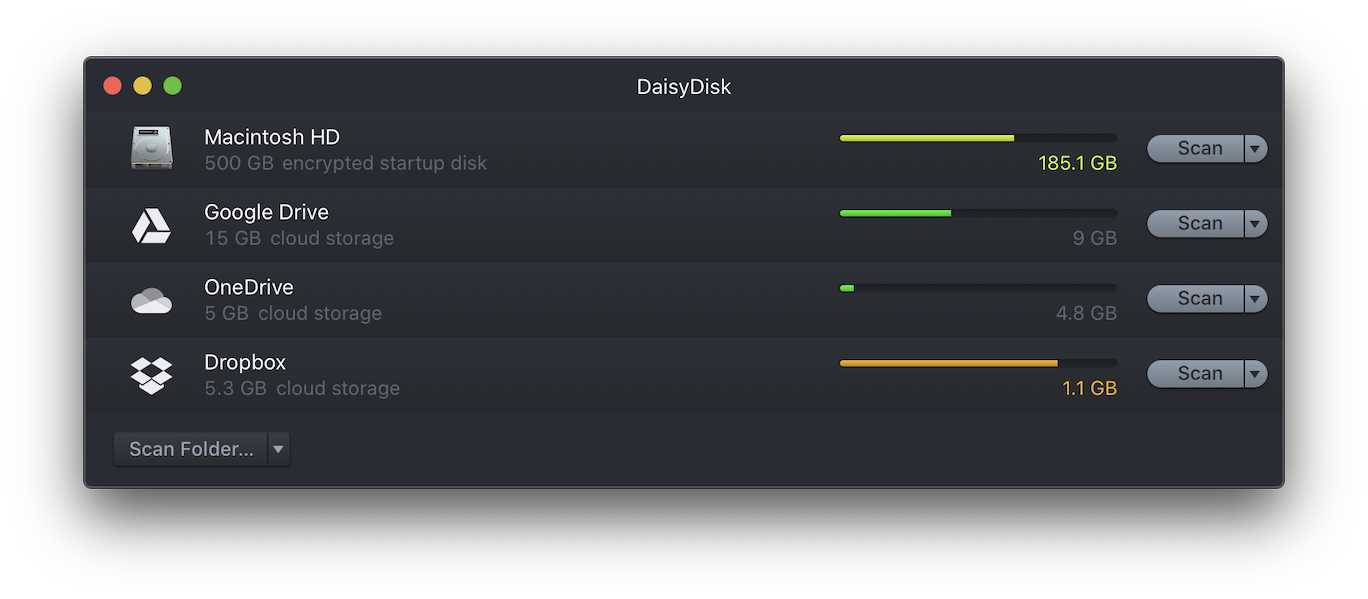
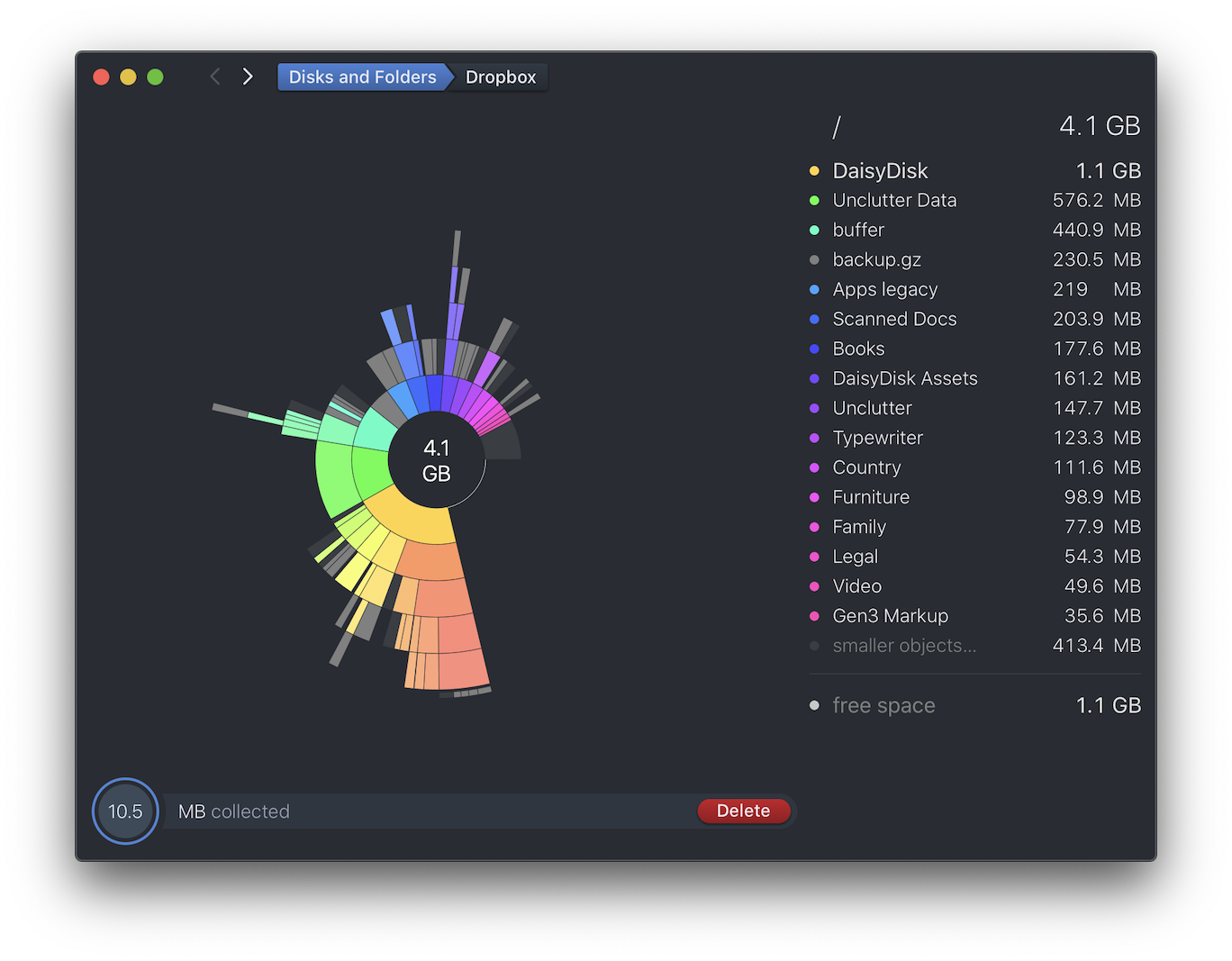
After connecting an account, you can browse the map of your account’s space quota, preview and delete unneeded files in your cloud account.
For more details, check this new user guide.
DaisyDisk 4.20 is a semi-major update, yet it’s available free of charge to all existing owners of DaisyDisk licenses, versions 2.x — 4.x.
For new users, the new version is available at $9.99
Also available in the Mac App Store.
Minimal required macOS: 10.10 Yosemite or newer.
Supports macOS Big Sur and is ready for macOS Monterey.
Supports Apple M1 chips.
*The cloud scan feature is not available in the free trial mode.
In DaisyDisk 4.12 we have added support for Apple’s new M1 CPU and fixed some compatibility issues with macOS Big Sur.
This is a free update for the existing users of DaisyDisk 4.x.
Full change log is here.
In DaisyDisk 4.11 we have added support for macOS Big Sur and also further improved discovery of the hidden space by including more hidden volumes into the scan report.
This is a free update for the existing users of DaisyDisk 4.x.
Full change log is here.
Ever since macOS Catalina was introduced, many Mac users noticed that their disks eventually get full without obvious reason. A quick scan in DaisyDisk typically reveals a big chunk of “hidden space”, which means the system is using more disk space than it’s possible to reveal by scanning, even with elevated permissions (scanning “as Administrator”).
The reason for this problem is that macOS is making temporary backups of the system, so called local snapshots, temporarily locking big amounts of disk space in an area of the disk that is fully opaque to the users. Eventually when the snapshots get transferred to the permanent storage, such as the Time Capsule, or as the snapshots become too old and get replaced by newer ones, macOS releases the disk space. However, the backup process is continuous and therefore there is always a certain amount of disk space that is locked by macOS for the snapshots.
This is how macOS Catalina works and it’s not supposed to even be a problem or require any maintenance from the user. However, in certain cases, you just need to free up the space urgently, and it’s quite confusing that you don’t have control over a big chunk of your disk.
Thankfully, the new version of DaisyDisk (4.10) is making it much easier to reveal the macOS’ hidden space, and for the part that cannot be revealed - understand its internal structure and even provide tools to reclaim it by demand.
In particular, the new DaisyDisk cuts down the amount of hidden space by revealing some obscure system items such as non-linked content of the “firmlinked” Data volume (under /System), the virtual memory volume (under /private) and some other.
Besides, DaisyDisk now shows a breakdown of the hidden space that includes the following items:
All in all, the new DaisyDisk is making a huge step to return you understanding and control of your disk on macOS Catalina, and probably provides the most exhaustive and informative view of your disk compared to any other disk utility.
This is a free update for the existing users of DaisyDisk 4.x.
Full change log is here.
In DaisyDisk 4.9 we have improved discovery of the hidden space on macOS Catalina by including the following items into the scan report:
/System/Volumes/Data ,/private/var/VM ,/Volumes/Recovery and /Volumes/Preboot .Among other additions:
This is a free update for the existing users of DaisyDisk 4.x.
Full change log is here.
DaisyDisk 4.8 both stand-alone and Mac App Store versions are now live.
This is a free update for the existing users of DaisyDisk 4.x.
Full change log is here.